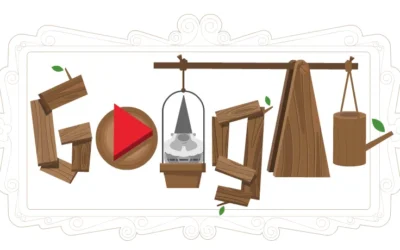
Google Memory Game is a quick, browser-based challenge that tests how well you can remember patterns, sounds, or visual sequences. It runs instantly without downloads, making it easy to jump in and start playing within seconds. The game is designed with simple mechanics but becomes increasingly challenging as levels progress, encouraging players to sharpen their memory and focus.
This game is ideal for anyone looking to improve concentration while enjoying a casual gaming experience. It works smoothly on both desktop and mobile devices, allowing you to play anytime. With its engaging design and progressive difficulty, it keeps players coming back to beat their previous scores and improve their recall speed.
How to Play the Google Memory Game?
Start the Game: Open the game in your browser and click the play button. The game begins immediately with a short demonstration of a pattern, sound, or sequence.
Observe the Sequence Carefully: Pay close attention to the order in which items appear or sounds are played. This step is crucial because the entire gameplay depends on your ability to recall this sequence accurately.
Repeat the Pattern: After the sequence ends, recreate it in the exact same order. Click or tap on the elements based on what you just saw or heard.
Progress Through Levels: Each correct attempt increases the difficulty level. The sequences become longer and more complex, further testing your memory.
Avoid Mistakes: A single incorrect move can end your current run or reduce your progress. Accuracy matters more than speed in later levels.
Track Your Score: Your score increases as you successfully complete sequences. The goal is to achieve the highest score possible before making a mistake.
Controls
Mouse Click Input: Use your mouse to click on the objects or tiles in the correct order as shown in the sequence.
Touch Screen Support: On mobile devices, tap directly on the screen to select items. The controls are responsive and simple.
No Keyboard Required: The game does not require a keyboard, making it accessible to all types of players.
Tips and Tricks to Score Higher
Focus on Patterns, Not Individual Items: Instead of remembering each item separately, try to group them into patterns. This reduces mental effort and improves recall.
Use Sound Cues Effectively: Many versions include audio hints. Listen carefully and connect sounds with visuals to strengthen memory.
Stay Calm Under Pressure: As levels increase, the speed may feel overwhelming. Staying calm helps you process sequences more accurately.
Practice Regularly: Repetition improves memory. The more you play, the better your brain becomes at recognizing patterns quickly.
Avoid Guessing: Random guesses often lead to mistakes. If unsure, take a moment to recall instead of rushing.
Improve Short-Term Memory: Try similar brain-training exercises outside the game. This will directly impact your performance.
FAQs
What is the Google Doodle Memory Game, and how do I access it?
It is a browser-based memory challenge that you can access directly through your web browser without installation. Simply search for it and start playing instantly.
How to play Memory Game on Google?
Open the game. Once it loads, press play and watch the sequence of sounds or visuals carefully. Repeat the same order by clicking or tapping the items. As you progress, the sequences become longer, so focus and accuracy are key to scoring higher.
Is the game free to play?
Yes, it is completely free and requires no subscription or payment.
Can I play the game on mobile devices?
Yes, the game is fully optimized for smartphones and tablets, allowing smooth gameplay with touch controls.
Does it improve brain skills?
Yes, it helps enhance memory, concentration, and pattern recognition through repeated practice.
Where can I play it online instantly?
You can play it directly on your website or through a quick browser search, making it accessible within seconds.
Do I need to download anything to start playing?
No downloads are required. The game runs entirely online, which makes it fast and convenient.
Can I compete with others or track my high score?
While most versions focus on personal scores, you can challenge friends by comparing results manually.
Is it suitable for all age groups?
Yes, the simple controls and increasing difficulty make it suitable for both kids and adults.